Conversation metrics
Count total turns and currently mounted messages using ChatGPT's own DOM structure.
FasterGPT is a browser extension that surfaces conversation metrics, virtualization awareness, and optional content optimizations for ChatGPT — without replacing native behavior.

See total messages, mounted messages, virtualization status, estimated tab memory, and conversation performance toggles — all without leaving ChatGPT.
Switch between Dark, Atom, Sky, and Ocean. Theme preference persists across popup closes, reloads, and browser restarts.
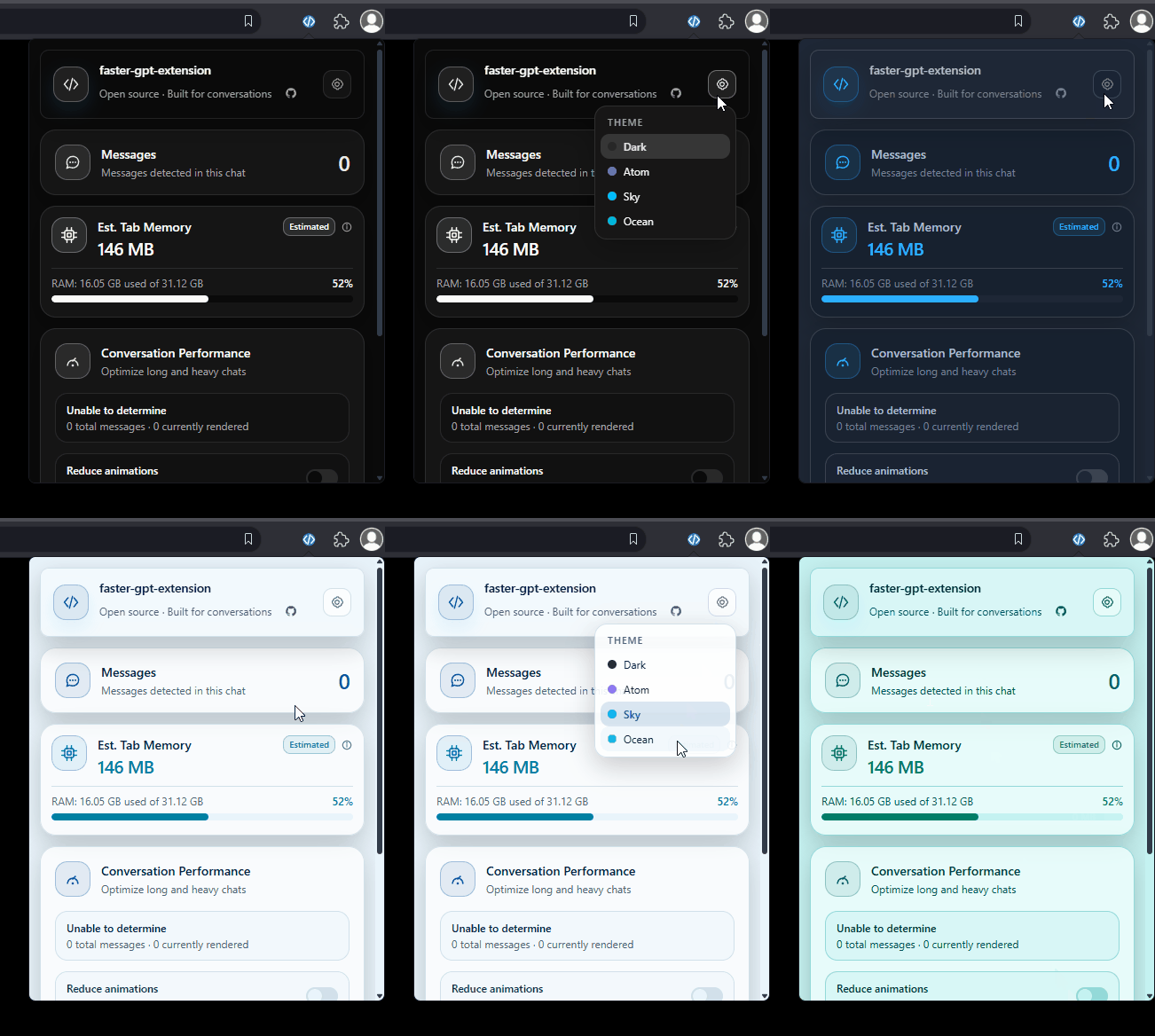
Understand long ChatGPT threads, spot virtualization, and optionally lighten the page — all from a focused extension popup.
Count total turns and currently mounted messages using ChatGPT's own DOM structure.
Compare total vs mounted messages to detect native virtualization without false positives.
Estimate page memory from JS heap, DOM, HTML, images, and resources with a clear breakdown.
Reduce animations, collapse distant code blocks, and pause off-screen media — non-destructively.
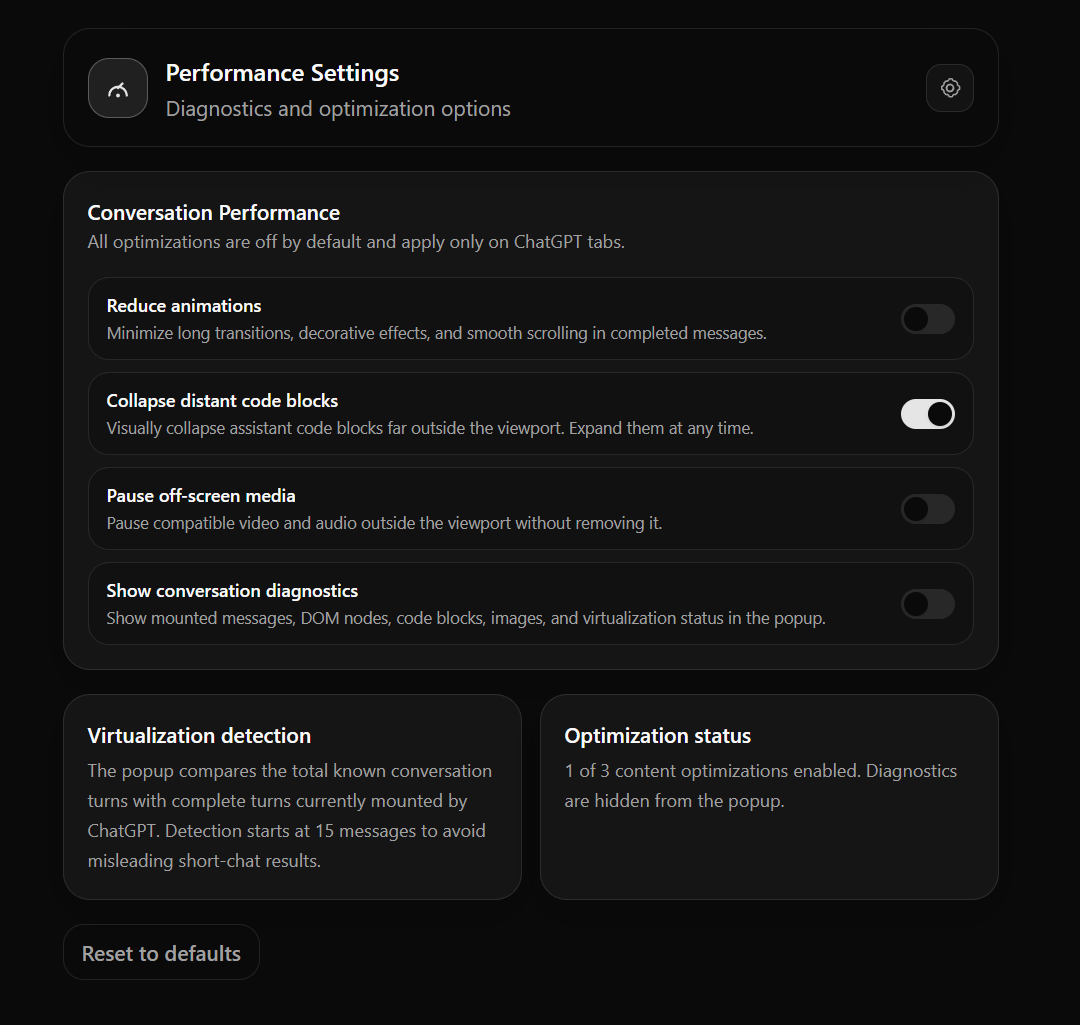
Settings persist in extension storage and sync between popup and options page in real time.
Works in any Chromium browser — Vivaldi, Chrome, Edge, and more. It's open source, free, and your data never leaves your browser.
Unzip the file before loading — the browser needs the actual extension folder, not a compressed archive.
vivaldi://extensionschrome://extensionsKeep the unzipped folder — deleting it removes the extension. Updates are installed by downloading the new zip and clicking Refresh on the extension card. Once published, the Chrome Web Store listing will give you one-click auto-updating installs.